Small room office layout
Where to Put a Home Office Desk in a Small Room
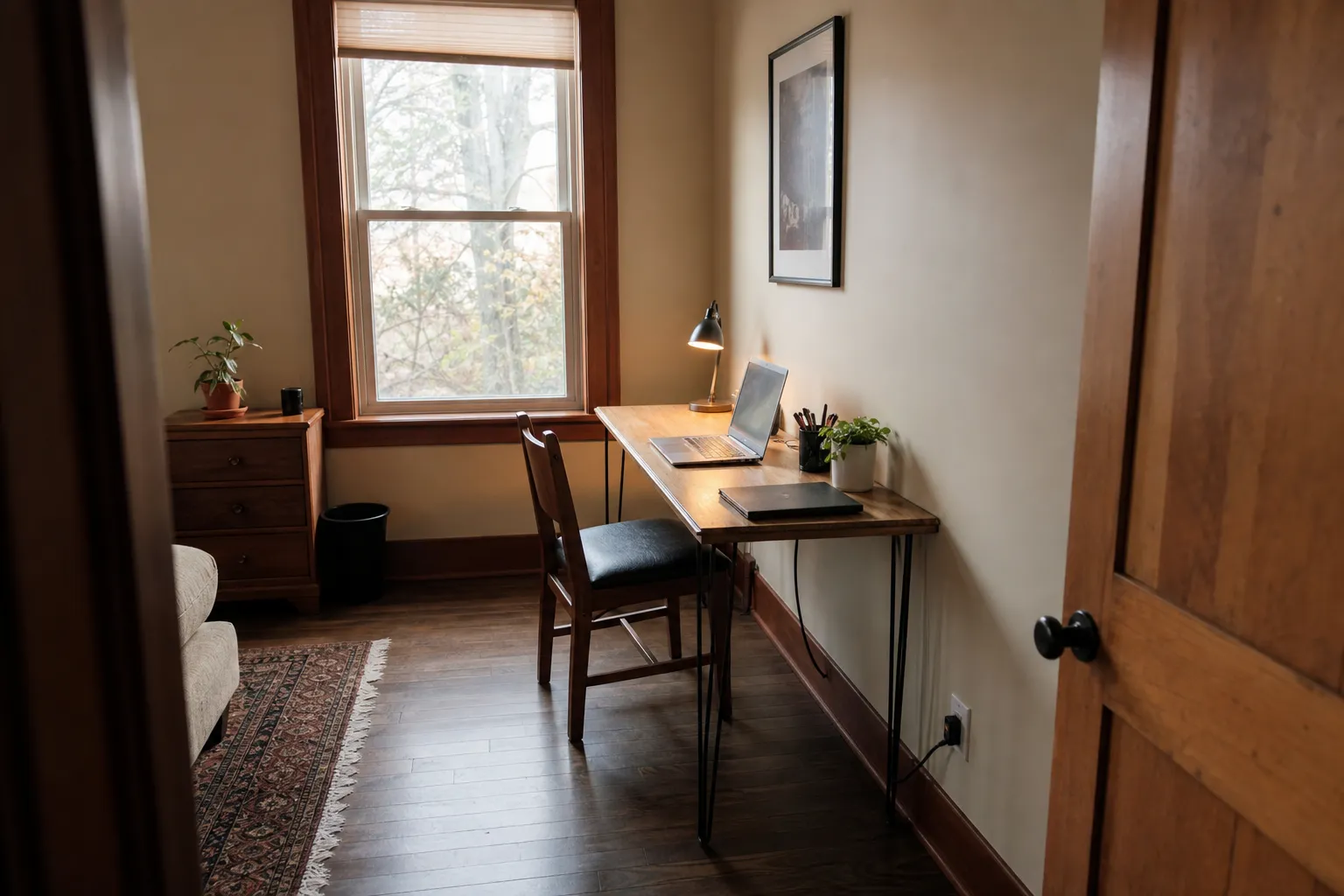
The best place to put a home office desk in a small room is usually against a solid wall or beside a window, with the screen turned away from direct glare, the chair able to pull out, and the door and main walking path left clear. If you are deciding where to put a desk in a small room, start with the working position, not just the desk width: screen visibility, chair movement, outlet reach, door swing, window access, and whether the room still works when someone is seated.
A window-facing desk can work, but it is not automatically the best choice. A corner can work, but only if it does not trap the chair. A closet, niche, fold-down desk, or narrow console can be useful in a small room, but only when light, cords, and daily access are still practical.
broader context
Parent topic
Use the broader page when you need more context before this narrower page.
Start with the path through the room
In a small home office layout, the best desk position is often the one that leaves the room easiest to use when the chair is occupied. A desk may fit on paper and still fail in daily life because the chair blocks the bed, catches the door, cuts off a closet, or leaves a cord stretched across the floor.
Before choosing a wall, window, corner, or niche, stand in the room and trace the real movement line:
- from the door into the room;
- from the desk chair to the exit;
- from the desk to the closet, bed, shelves, or window;
- from the outlet to the desk without a loose cord crossing a walking path;
- from the chair pulled out, not just tucked in.
Home fire escape guidance is not interior design advice, but it does give one useful furniture-planning limit: doors, exits, and needed escape routes should stay usable. In a small room office setup, that means the desk should not make the door hard to open, narrow the only route out, or bury a window that must remain reachable.
The calmest desk position is not always the most dramatic one. It is the place where the room still works when the laptop is open, the chair is back, a lamp is plugged in, and someone else might need to pass the doorway.
Desk against a wall
A desk against a wall is the most reliable default for a small room. It keeps the work surface shallow, preserves the center of the room, and makes cord routing easier if an outlet is nearby. It also reduces the number of sides that need circulation space.
This placement works best when:
- the wall is not directly opposite a bright window that reflects on the screen;
- the chair can pull back without hitting a bed, dresser, or door;
- there is side light, a lamp, or usable ceiling light;
- shelves, a pinboard, or a slim wall cabinet can add storage without taking floor area.
The possible drawback is screen depth. If the desk is very shallow and the monitor is large, the screen may sit too close for comfortable use. Monitor-positioning guidance generally treats the screen as part of the whole workstation, not an afterthought. At home, this means a narrow wall desk often suits a laptop, compact monitor, or wall-mounted monitor arm better than a large screen with no room to adjust.
A wall-facing desk is also a good choice when the room doubles as a bedroom. It lets the bed remain visually separate instead of turning the whole room into a work zone.
Desk beside a window
A desk beside a window is often better than a desk directly facing one. Side light can make the work area feel open without placing bright daylight straight behind the screen or directly in your eyes. Lighting guidance and daylighting research both point to the same practical issue: glare and reflection depend on the relationship between the window, the screen, and your line of sight.
Choose a side-window placement when:
- the window is to your left or right, not directly behind the monitor;
- blinds, curtains, or shades can soften strong sun;
- the screen remains readable at the time of day you usually work;
- the desk does not stop you from opening the window or adjusting the covering.
This arrangement is especially useful in a small room because it gives some daylight without demanding that the desk sit in the middle of the space. If the room gets strong afternoon sun, test the screen at that time before committing. A spot that feels lovely in the morning may create window glare on screen later in the day.
Desk in a corner
A corner desk can be efficient, but it is often misunderstood. The corner itself may be unused, yet the chair still needs space behind it. If the chair backs into the bed, closet, radiator, or door path, the corner is not saving as much room as it seems.
A corner placement works when:
- the chair can move straight back without twisting around furniture;
- the screen is not angled toward a bright window reflection;
- both sides of the desk remain reachable;
- cords can run along the wall or corner, not diagonally across the floor.
A corner is helpful when you want a small sense of separation: one wall can hold the screen, the other can hold a lamp, papers, or a small shelf. But avoid filling the corner with a large L-shaped desk unless the room truly has space for the chair and the second surface. In many small rooms, a compact rectangular desk placed near the corner is easier to live with than a bulky corner unit.
Desk inside a closet or niche
A closet office, alcove desk, or desk in a niche can be a strong solution when the room has an awkward recess. It keeps the work surface contained and can look quiet when the day is done, especially if doors or a curtain can close.
Check the details before building around it:
- Is there enough light, or will you need a lamp?
- Is there an outlet inside or very nearby?
- Can the chair sit without blocking the room?
- Do closet doors fold, slide, or swing into the working area?
- Is there enough airflow for normal use of electronics?
- Can shelves above the desk be reached without crowding the screen?
A desk inside a closet is less useful if the chair always lives in the main walkway. It may also fail if the niche is too shallow for a monitor and keyboard. Research on compact home office furniture supports the broader idea that multifunctional pieces can help in small homes, but the furniture still has to fit the person, chair, light, and cables — not just the empty opening.
Desk near a bed or behind a sofa
In a bedroom or studio, the desk may need to sit near a bed or behind a sofa. This can work if the desk is narrow and the chair does not interrupt the main path.
A desk near a bed is usually better along the wall than at the foot of the bed unless the room is long enough for the chair to pull out. If the desk faces the bed, keep the surface simple and use closed storage where possible; visually busy piles can make the small room feel tighter.
Behind a sofa, a narrow console desk can be useful in a studio or living room. The important check is chair depth. Many console tables look slim until a chair is added. If the chair blocks the route around the sofa, the placement is not truly compact.
This is where narrow desk placement can be better than a standard office desk. A shallow work surface may be enough for a laptop and notebook, while a wall shelf or rolling cart can hold items that would otherwise crowd the top.
Fold-down desk placement
A fold-down desk can be one of the cleanest choices for a small room, especially when the desk is used for shorter laptop-based sessions. It keeps the floor open when closed and can turn a wall, hallway edge, or niche into a temporary work surface.
The best place for a fold-down desk is not simply the emptiest wall. It should be mounted where:
- the chair can sit without blocking a door;
- the open surface does not hit furniture;
- the wall can support the unit according to the maker’s instructions;
- lighting is available when the surface is open;
- cords have a planned route if you need power.
Fold-down desks are less suitable if you use a large monitor, many papers, or heavy equipment every day. They work best when the surface can be cleared easily.
Floating desk layout
A floating desk in the middle of a small room can look elegant in photographs, but it is the hardest placement to make work. It needs circulation on more than one side, a cord route that does not create a trip point, and enough space behind the chair. In a genuinely small room, those conditions are uncommon.
Use a floating layout only if:
- the room still has a clear path from door to window or closet;
- the chair does not block the bed, sofa, or storage;
- power can reach the desk without loose cables across the floor;
- the desk does not divide the room into unusable strips.
For most small rooms, a floating desk should be the exception, not the default.
Check light and screen glare before moving everything
The most common small-room mistake is choosing the prettiest desk location before checking the screen. A window view is appealing, but a screen can become hard to read if strong daylight sits behind it, reflects across it, or shines directly into your eyes.
Use a quick test before deciding:
- Place the laptop or monitor in the proposed position.
- Open a white document and a darker page.
- Check the screen in the morning, midday, and late afternoon if possible.
- Sit in the chair, not just at the doorway.
- Adjust blinds or curtains and see whether the setup still has enough light.
A desk directly facing a window may work in a shaded room or with good window coverings. In a bright room, a side-window or wall-facing setup may be easier. A desk with the window directly behind you can also create screen reflections, especially on glossy displays.
Task lighting matters too. If the best desk spot is away from the window, add a small lamp rather than forcing the desk into a glare-heavy position. The goal is simple: a readable screen and a surface you can use without fighting shadows or reflections.
The clearance test: chair, door, storage, cords
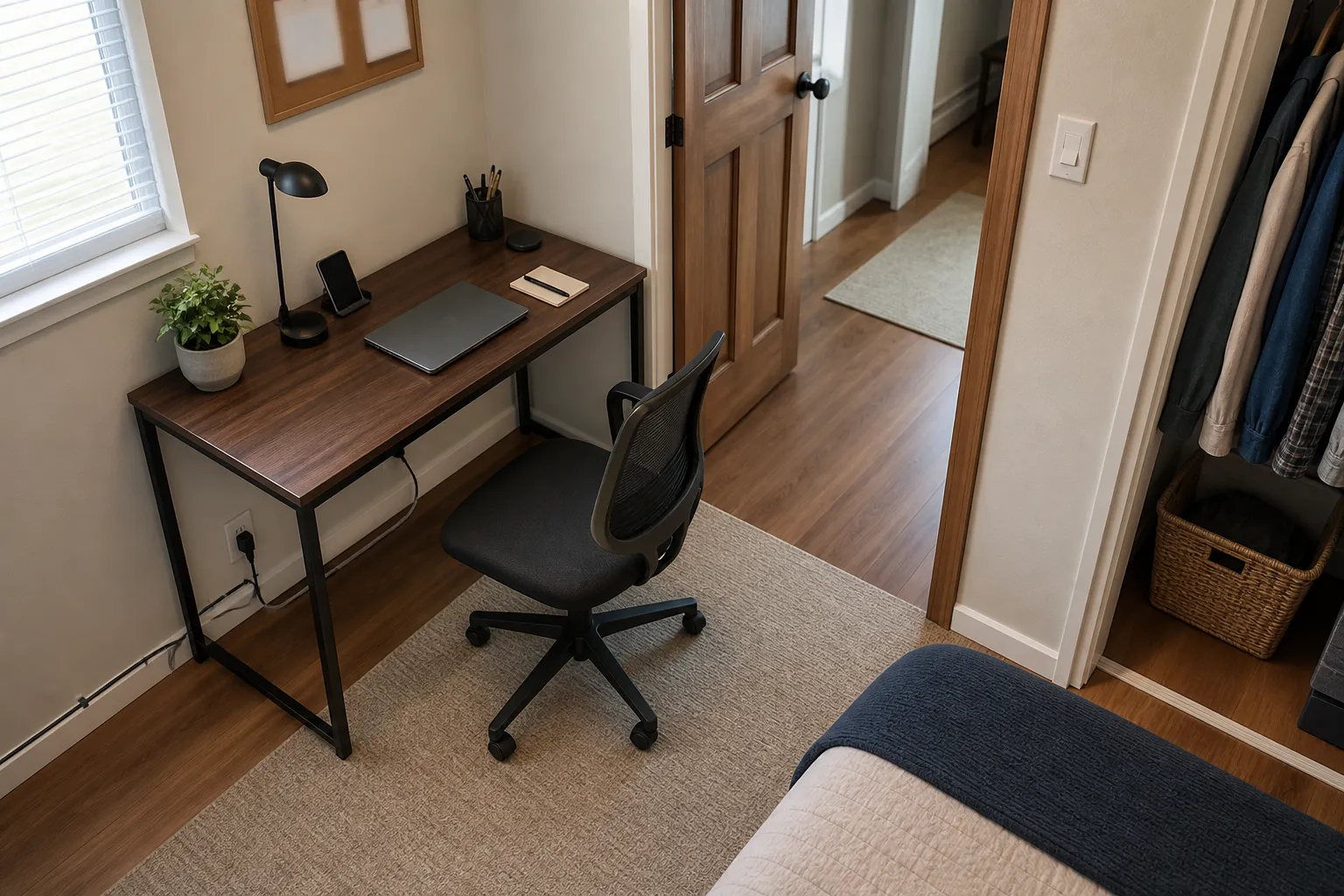
Once you have a likely spot, test it with the chair pulled out. This is the step many small room desk placement ideas skip.
Ask these questions in the room:
- Can the chair pull out far enough to sit down and stand up?
- Can the door open while the chair is in use?
- Can you reach storage without moving the chair every time?
- Can you open drawers, closet doors, or window coverings?
- Does the cord route stay along a wall or under furniture rather than across a walkway?
- Is there space for a wastebasket, bag, or printer if you truly use one?
Workstation guidance often looks at the whole setup rather than one object. For a small home office, the translation is simple: a desk is not just a tabletop. It includes the chair, screen, keyboard or laptop, lamp, outlet, storage, and the space you occupy when you sit down and get up.
If the only available spot forces you to work from a surface that is much too low, too high, or too far from the chair, keep looking for a better placement or choose a more suitable compact desk.
Common misunderstandings about small-room desk placement
The best spot is not always where the desk fits.
A desk can fit into a gap and still make the room awkward. The chair, door swing, storage access, and cord path decide whether the placement works.
Facing the window is not always better.
A window view can be pleasant, but direct brightness and screen reflection may make side-window placement more usable.
A corner desk does not always save space.
Corners save wall area, but the chair still needs room. A trapped chair can make the whole room feel smaller.
Compact furniture does not remove the need for clearance.
A fold-down desk, narrow desk, or closet desk still needs light, power, chair movement, and a clear route out.
A desk behind a sofa or near a bed can work, but only if the chair is counted.
The desk may be shallow, but the chair adds depth. Test the setup with the chair pulled back.
A quick decision rule
If you want the simplest order of choice, use this:
- Try a wall-facing desk near an outlet, with side light if possible.
- If the wall feels too closed in, try a desk beside a window rather than directly facing it.
- Use a corner only if the chair can move freely.
- Use a closet, niche, fold-down desk, or narrow console when the room needs the desk to stay shallow or disappear when not in use.
- Avoid a floating desk unless the walking path and cord route remain clear.
The right placement is the one that keeps the small room usable after the desk is occupied. If the screen is readable, the chair can move, the door opens, cords stay out of the path, and the window and storage remain reachable, you have likely found the best desk position for that room.