Home office setup
Zen Home Office Ideas That Still Work for Everyday Tasks
A calm home office works when it looks quiet without making daily work harder. The most useful zen home office ideas are practical first: leave room for typing and mouse movement, place the screen where glare is manageable, use soft room light plus a real task lamp, keep chargers reachable, hide cables neatly, and give papers a place to land.
Here, “zen” is used as a home-design shorthand for restraint, visual order, natural-feeling materials, and fewer visible distractions. It is not a promise about performance, wellbeing, or any special outcome.
The quick test
Can you type, use a mouse or trackpad, read, write notes, take a call, charge devices, reach supplies, and reset the desk in two minutes without undoing the calm look?
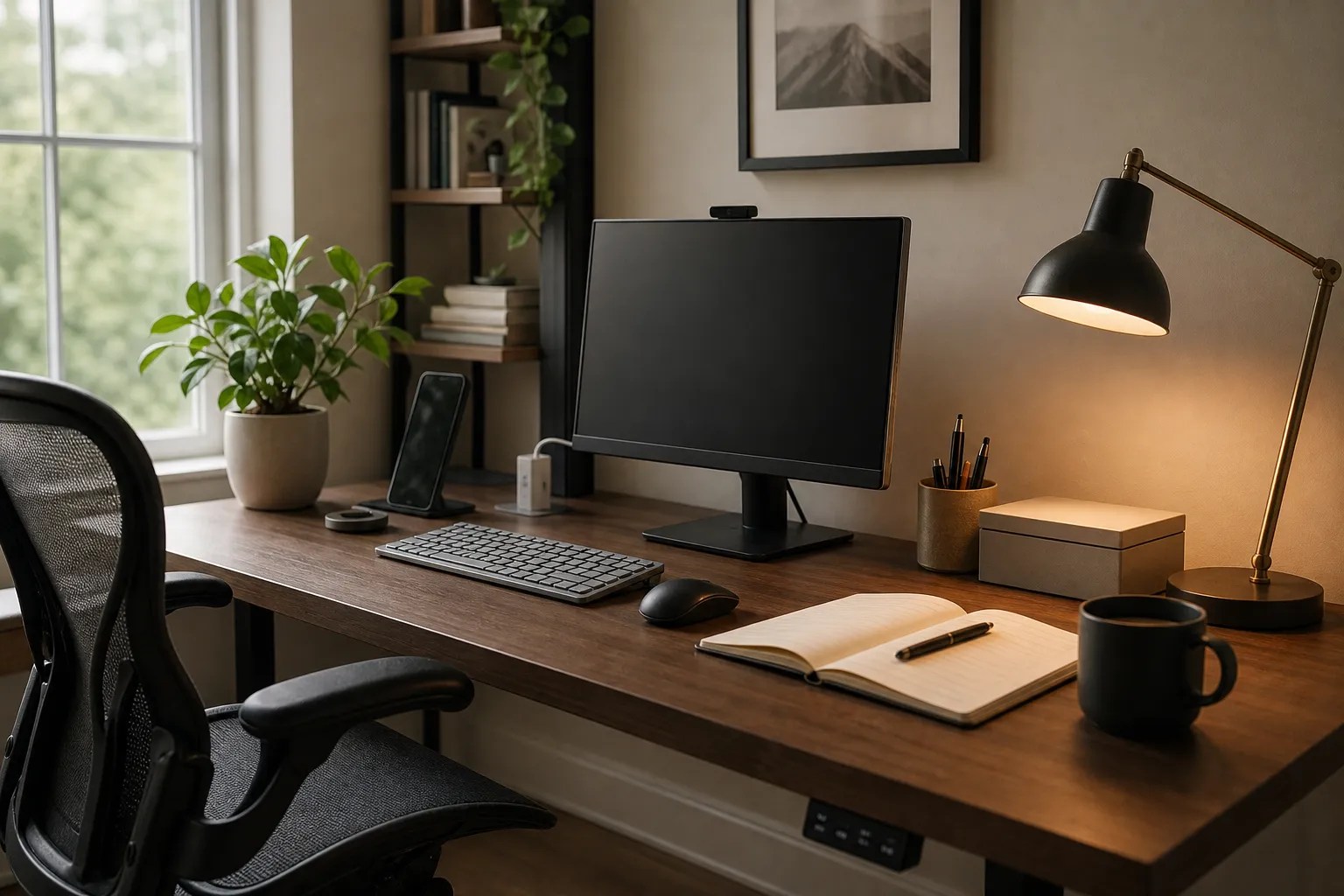
Start with the work zone, not the decor
A zen-inspired office can be spare, but it still needs to serve the tasks you repeat every day. Before choosing a lamp, plant, tray, or wall print, mark the basic work zone:
Screen zone
The monitor or laptop sits where you are not turning your neck for long stretches.
Input zone
The keyboard and mouse or trackpad have clear space.
Reading and writing zone
One side of the desk stays open for a notebook, document, tablet, or book.
Charging zone
Phone, earbuds, laptop charger, and power strip have a predictable place.
Storage zone
Frequent supplies are close; rarely used items are closed away.
Workstation guidance often focuses on chair height, work surface, monitor placement, and input-device position. For a home interiors reader, the point is simpler: do not build a beautiful desk that makes ordinary work awkward.
If your office is a bedroom corner, living-room wall, or shared table, shrink the same logic. One drawer, one lidded box, or one wall shelf may be enough. The goal is not emptiness. It is a simple office layout where visible items have a reason to be there.
Use desk zones instead of an empty surface
Styled desk photos often remove the things people actually use: chargers, papers, reading glasses, pens, mouse space, notebooks, and cords. The image looks peaceful, but the setup may fail by Monday morning.
A better calm home office layout uses zones. The desk stays visually quiet because items are grouped, not because every tool disappears.
| Desk area | What belongs there | What to avoid |
|---|---|---|
| Center | Keyboard, laptop or monitor, main input device | Decorative objects between your hands and screen |
| Dominant-hand side | Mouse, trackpad, pen, notebook margin | Vases, trays, stacked books, or incense holders that crowd hand movement |
| Far corner | One lamp, one plant, or one small object | Several small objects competing for attention |
| Back edge | Dock, cable clip, small speaker, monitor stand | Loose cords crossing the writing area |
| Drawer or box | Chargers, spare pens, sticky notes, receipts | Daily tools buried so deeply that clutter returns |
Cornell’s mouse-use guidance is useful for one small design point: repeated keyboard and mouse work needs open input space. In room terms, the prettiest object on the desk should not sit where your hand travels all day.
A minimalist home office desk can still have warmth. Choose one intentional object rather than many: a stoneware pen cup, a low plant that does not block light, a wooden tray for the phone, or a single framed print on the wall instead of several objects on the work surface. Restraint is easier to keep when the desk is arranged around movement.
Make the lighting soft, but still readable
Soft lighting can make a home office feel quieter, but dimness is not the same as calm. The room still needs enough visibility for reading, writing, typing, screen work, and video calls.
Use layers instead of one dramatic light source:
- Room light from a ceiling fixture, shaded floor lamp, or indirect wall light.
- Task light on the desk for paper, keyboard, and writing.
- Glare control through desk placement, curtains, blinds, or lamp position.
- Call lighting that softly lights the face without shining into the eyes.
Lighting guidance commonly points to visibility, glare, contrast, and matching light to the task. Research on desktop lighting also supports a practical home-office lesson: using a screen in a completely dark room is often less comfortable than having some surrounding light, and adjustable lighting helps because rooms and tasks change.
For a zen desk setup, warm light can be an aesthetic choice, especially in the evening. A paper shade, linen shade, ceramic lamp, wood base, or frosted diffuser can reduce visual harshness. But if the warm lamp makes documents hard to read, add a clearer task light rather than forcing the room to stay moody.
Glare control matters as much as lamp style. A window behind the screen can create a bright halo. A window behind you can reflect on the display. Many home offices work better with daylight from the side, softened by a curtain or blind. Test the desk at the hours you actually work; the best position depends on the window, screen finish, wall color, and time of day.
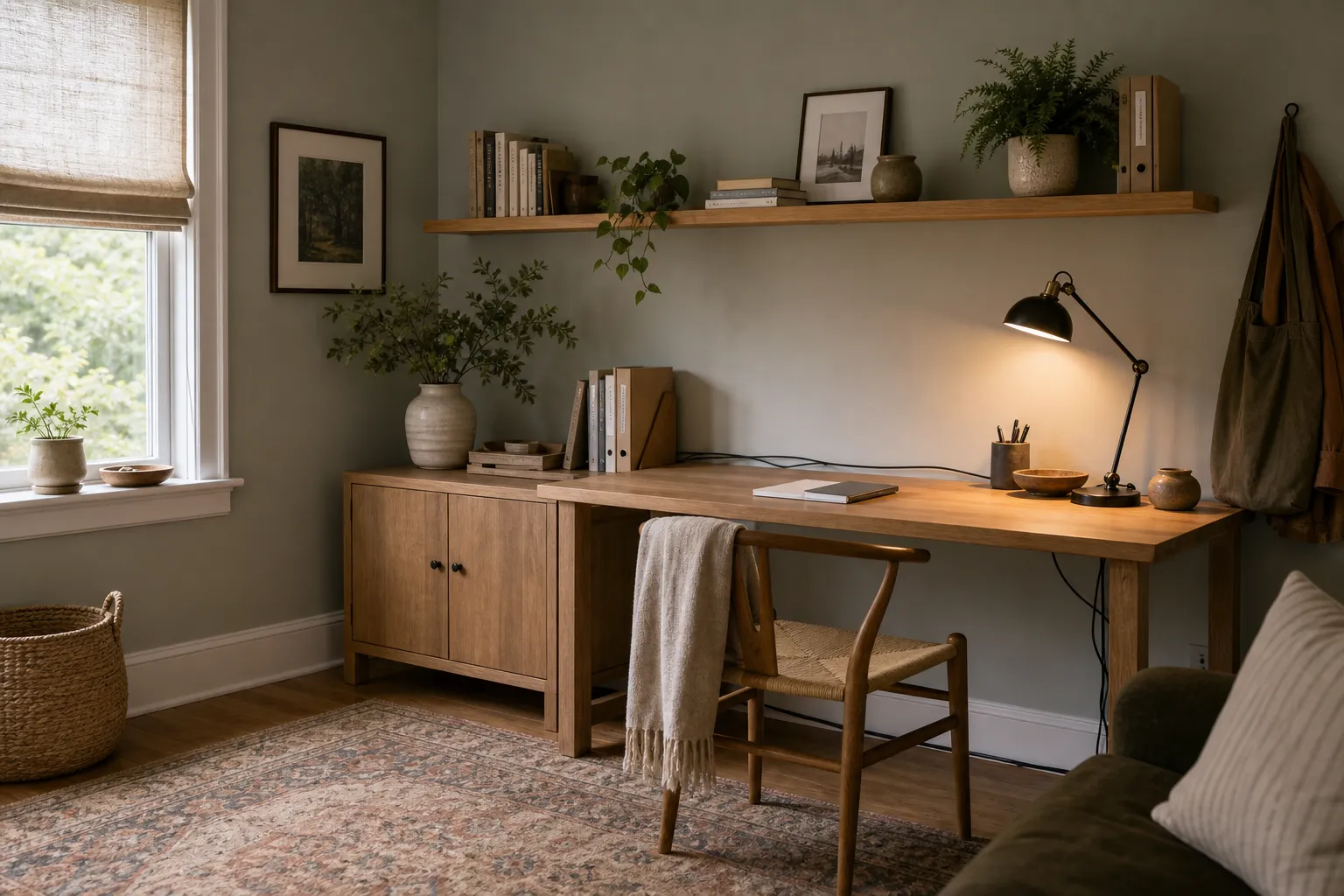
Hide visual clutter without hiding access
A clutter-free desk setup usually fails when storage is too far away or too fussy. If finding a charger means opening three boxes, the charger will stay on the desk. If paper has no home, paper becomes the decor.
Closed storage is one of the simplest ways to make an office look calmer. It can be a cabinet, drawer unit, lidded basket, file box, or wall-mounted cupboard. What matters is whether the storage matches your real objects.
Use this order:
- Daily items: keep within reach, but grouped in a tray, cup, drawer, or stand.
- Weekly items: store on the nearest shelf or in the nearest cabinet.
- Rare items: move out of the desk zone.
- Paper: give it a shallow tray or vertical file before it spreads.
- Cables: route along the back edge, under the desk, or through clips, while keeping plugs reachable.
A hidden-cable home office should still be serviceable. Avoid tying cords so tightly that you cannot move the laptop, replace a charger, or clean behind the desk. Cable sleeves, adhesive clips, under-desk trays, and a labeled power strip can quiet the surface without turning charging into a puzzle.
For shared rooms, visual boundaries help. A low bookcase, folding screen, curtain, wall rail, or change in rug texture can signal the office corner without fully enclosing it. Remote-work research often describes home workspaces as improvised, crowded, and shaped by household interruptions. That is a useful reminder: the best calm workspace ideas are the ones that survive family traffic, pets, calls, meals, and changing schedules.
Choose natural-feeling materials that can handle work
A zen home office does not require special objects. Natural-feeling materials can make a space look quieter because they reduce shine and age softly, but they still need to suit daily use.
Matte wood or wood veneer
Useful for warmth, with a desk mat if the surface marks easily.
Linen, cotton, paper, or fabric shades
Helpful for softer light diffusion.
Ceramic, stoneware, or wood containers
Good for pens and small tools.
Wool, cotton, jute, or flatweave rugs
Suitable where the chair can still move.
Muted wall colors
Useful for reducing visual noise without making the room too dark.
Be cautious with glossy desks, glass tops, mirrored pieces, and highly reflective accessories. They can look elegant, but they may bounce light into your eyes or onto the screen. If you already own a reflective desk, a large matte desk pad is often an easy correction.
Plants can be part of zen home office decor, but they are not required. If you use one, place it by function first: not in the mouse zone, not blocking the camera, not dropping soil onto papers, and not adding more care than you want. One healthy plant on a side shelf may do more for the room than three small pots crowding the keyboard.
This is also where cultural restraint matters. In home design searches, “zen” is often used loosely for simplicity, quietness, empty space, and natural materials. A room does not become more thoughtful just because it includes bamboo, a floor cushion, a calligraphy print, or an incense holder. If you include objects with cultural meaning, choose them carefully and avoid using them as shortcuts for atmosphere.
Keep scent and ambience optional
Scent is often sold as part of a zen home office, but it should stay optional. Incense, candles, essential-oil diffusers, and room sprays can change how a room feels, but they also bring smoke, fragrance, flame, residue, and household preference issues.
If you use scent, keep it practical:
- Ventilate when appropriate.
- Avoid smoke or strong fragrance in shared homes if others dislike it.
- Consider children, pets, allergies, and scent-sensitive guests.
- Keep candles on stable surfaces away from papers, curtains, shelves, and cables.
- Do not leave an open flame unattended.
- Do not make scent a requirement for a calm workspace.
EPA indoor-air guidance is a useful reminder that air inside a home is affected by indoor sources and ventilation. For this room, the design point is straightforward: ambience should not make the office harder to use or less comfortable for the household.
There are easy non-scent alternatives: a warmer lamp setting, a clean desktop, a small bowl for clips, a soft rug underfoot, a quiet wall color, or an open window when outdoor conditions are suitable. Calm does not have to come from fragrance.
Everyday home office checklist
Use this before buying more decor or rearranging the room again.
- Can you sit down and begin work without moving decorative items?
- Is there clear space for keyboard and mouse or trackpad use?
- Can you read paper notes without relying only on screen glow?
- Is the screen protected from the worst window or lamp glare during work hours?
- Can you join a video call without turning the whole room upside down?
- Are chargers reachable but not spread across the desktop?
- Is there one place for incoming paper?
- Can you reset the desk in two minutes?
- Are daily supplies close while rarely used items are hidden?
- Does any scent, candle, plant, or object create a practical problem?
- Does the space look calm because it is well arranged, not because necessary tools are missing?
A successful zen home office is not the barest room. It is the room where restraint and function support each other: a quiet view, reachable tools, adjustable light, managed cables, and a surface ready for real work.
FAQ
What is the easiest zen home office idea to start with?
Clear the center of the desk and rebuild around the tasks you do every day. Keep the keyboard, mouse or trackpad, screen, notebook, charger, and task light in sensible positions before adding decor.
Can a small desk still work for a calm home office?
Yes, if the surface is not overloaded. Use one nearby storage point, keep the input area open, and move rarely used items out of the work zone. A small desk with clear zones usually works better than a larger desk covered in objects.
Do I need incense, candles, or special decor?
No. Those items are optional. A calm office can come from good light, fewer visible cords, closed storage, a readable desk surface, and materials that feel quiet in the room.
What is the common mistake with a zen desk setup?
The common mistake is making the desk look empty for a photo while removing the tools needed for real work. A usable setup should still leave room for typing, mouse movement, reading, charging, calls, and quick cleanup.