Living Room Setup
Low Living Room Furniture and TV Height: How to Avoid an Awkward Viewing Angle
For low furniture TV height, start from the seat, not the wall. The screen usually feels more natural when its center sits close to your seated eye line from the place where you actually watch. With a low sofa, floor cushion, platform bench, or very low media console, a TV that looks neat while standing can feel too high once you sit down.
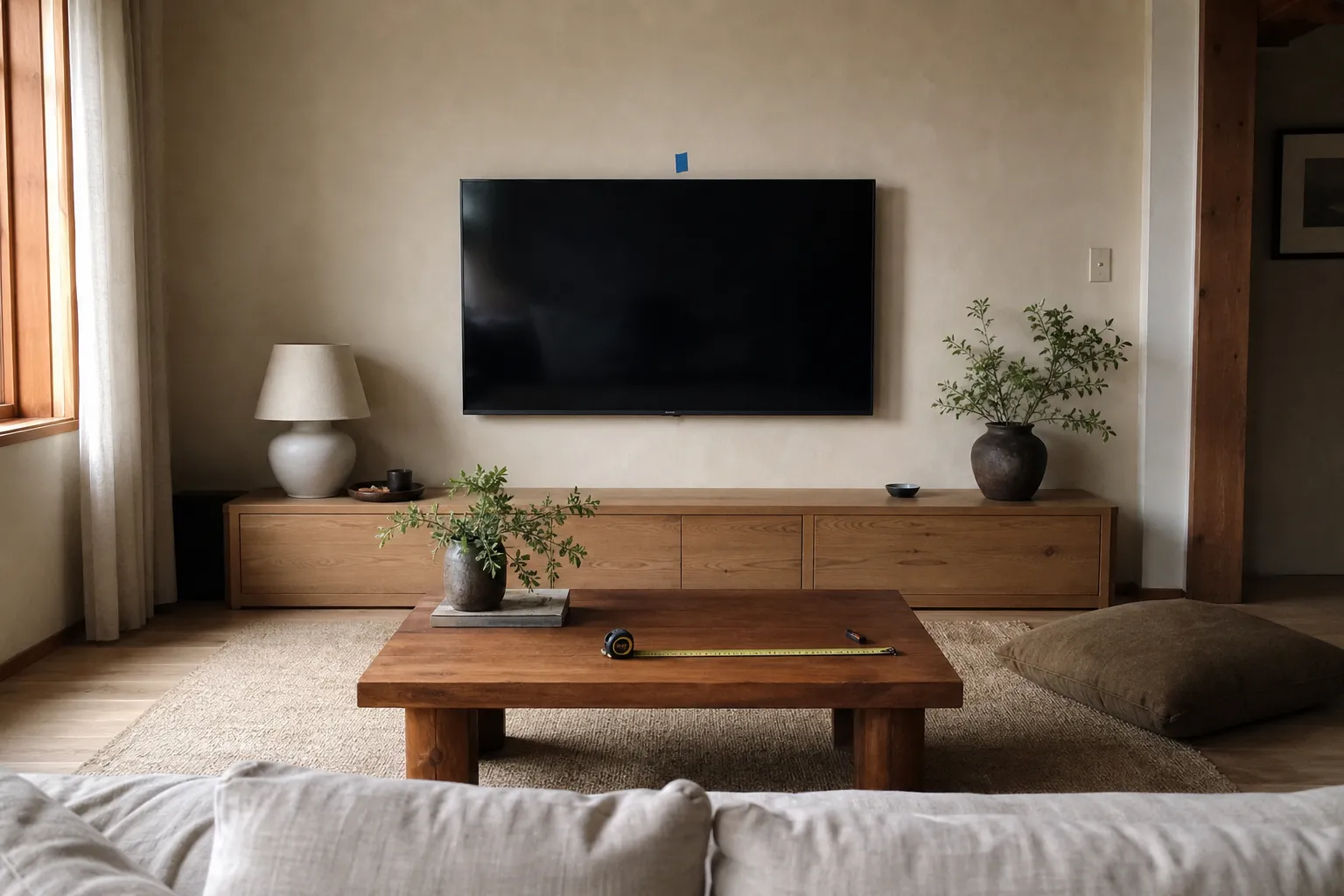
Before you mount anything, sit in the main viewing spot and look straight ahead without lifting your chin. Mark where your eyes naturally land, then compare that mark with the center of the screen, the console height, the mount range, glare, and cable path. The useful answer is not a showroom number. It is the height that feels calm from the seat and still works with the room.
broader context
Broader context
Use the broader page when you need more context before this narrower page.
Start With the Seat, Not the Wall
A low living room changes the TV question. Awkward setups often happen when the wall is treated like a display surface first. The TV is centered between shelves, lifted above a tall console, or placed high to clear decor. From standing height, the arrangement may look balanced. From a low seat, it can make the viewer look upward the whole time.
A better sequence is simple:
- Step 1Put the main seating where it will actually stay.
- Step 2Sit the way you normally sit.
- Step 3Look straight ahead at the wall.
- Step 4Mark that natural sightline.
- Step 5Compare the mark with the intended screen center.
You do not need a universal formula to do this well. Seated eye height, screen size, room depth, and the furniture line all change the result. For low-profile rooms, screen center alignment usually matters more than the bottom edge of the TV or a generic “standard TV height.”
This is especially true with floor seating, tatami-style mats, low sofas, broad coffee tables, and platform furniture. These rooms often feel more settled when the heavier visual line stays low. A TV placed too high can disturb that balance even before it is turned on.
Test Low Sofa TV Placement Before You Commit
Low sofa TV placement is much easier to judge before drilling, buying a console, or routing cables.
Use painter’s tape to outline the screen on the wall. If the TV is already in the room, a cardboard template or the boxed screen can help you see the full rectangle. Do not judge from a single center mark alone; the top edge, bottom edge, and overall mass all affect how the TV feels from a low seat.
Then sit down and check three things.
Head Position
If you naturally raise your chin to see the center of the screen, the TV is probably too high for that seat. If your eyes fall near the middle or upper half of the screen while your head stays relaxed, the height may feel easier in daily use.
Whole Screen Size
A larger TV can feel taller than expected because the top edge rises even when the center is placed carefully. A size that works over a standard sofa may feel visually heavy above floor seating.
Viewing Distance
A low seat close to the wall makes a high screen feel more pronounced. A deeper room gives more forgiveness because the upward angle is less obvious. Rather than relying on a fixed distance rule, test the distance you really have.
If you use floor seating, repeat the test from the floor. A console that looks low in a store can still lift the screen too high when your eyes are only a short distance above the ground.
Console, Wall Mount, or Renter-Friendly Setup?
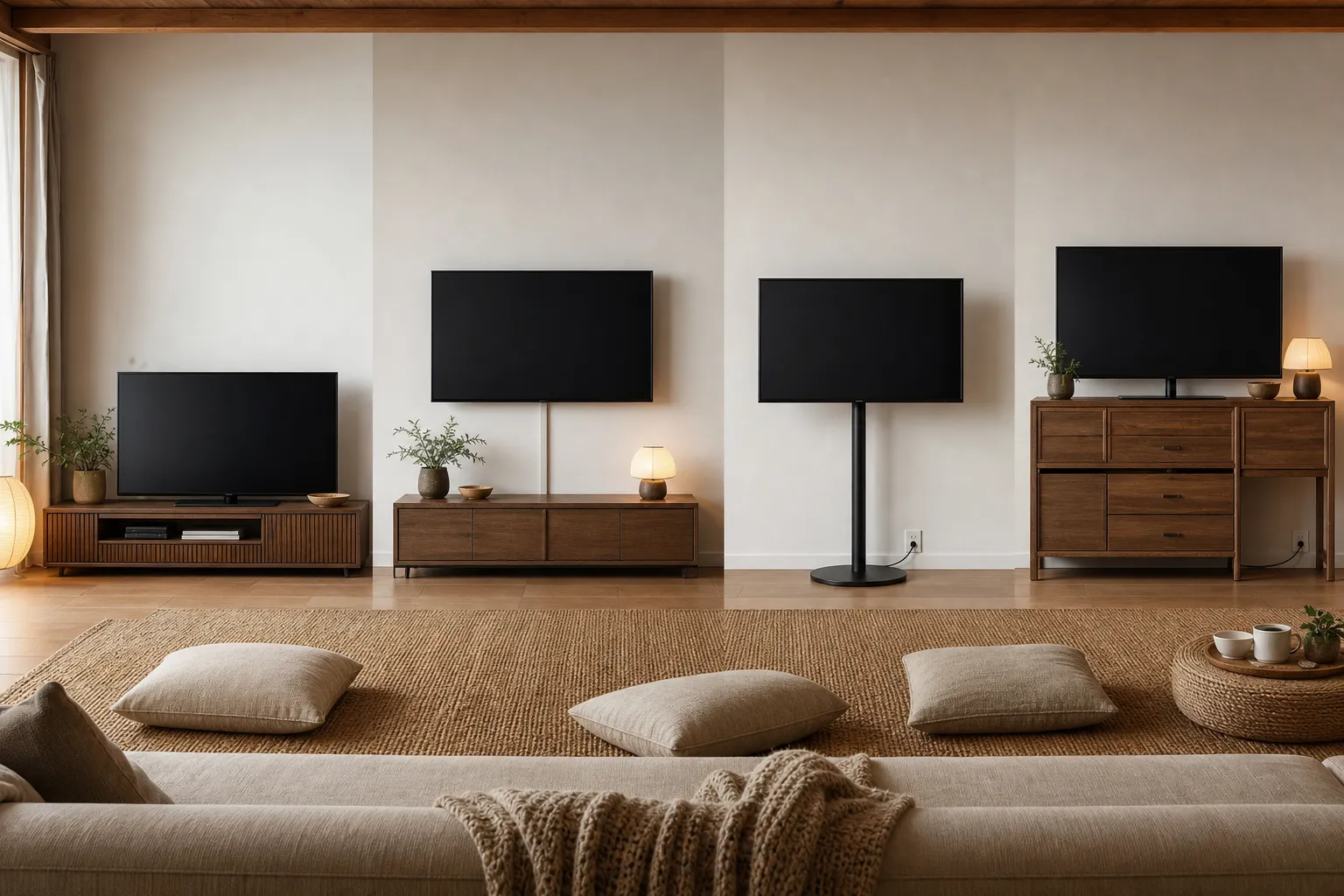
Once the seated sightline is clear, decide how the TV will be held. Each option changes the height, the visual weight, and how easy the room is to adjust later.
A low media console is often the simplest choice when the room allows it. It keeps the screen visually connected to the furniture line and avoids the feeling of a TV floating too high on the wall. Check the real console height, including legs, thick tops, decorative objects, and the TV’s own stand.
A wall mount gives more control, but mistakes are harder to undo. Check the mount’s movement range, the TV’s mounting points, the wall type, and the cable path before deciding. For heavy screens, old plaster, masonry, rental walls, or uncertain wall construction, treat installation as a separate job and follow the TV and mount instructions carefully.
A renter-friendly setup may use a low console, freestanding TV stand, or no-drill floor stand. These can work well when you cannot open the wall or expect to rearrange the room. The tradeoff is that some stands have minimum height limits, visible hardware, larger bases, or harder cable management.
Low Media Console
Helps: Keeps the TV grounded with low furniture.
Check: Console height, TV stand height, storage, and cable openings.
Wall Mount
Helps: Allows more exact screen center placement.
Check: Mount range, wall condition, installation needs, and cable route.
Freestanding Floor Stand
Helps: Works for renters or flexible rooms.
Check: Minimum height, base footprint, stability, and visible cords.
Existing Tall Console
Helps: Avoids new furniture.
Check: Whether it pushes the screen above the seated sightline.
The best choice is not always the lowest object. It is the combination that puts the screen in a comfortable relationship with the main seat, the room depth, and the furniture line.
What Makes the Viewing Angle Feel Wrong
An awkward TV viewing angle usually comes from one of five room decisions.
Mounting for Standing Aesthetics
A TV may be centered on a wall, aligned with art, or placed above a fireplace because it looks balanced when no one is sitting. In a low living room, that often gives the wall too much priority and the viewer too little.
Measuring the Wrong Part of the Screen
People often focus on the console height or bottom edge of the TV. For low furniture, the screen center is usually the more useful reference because that is where the eye meets the image.
Letting Storage Decide Everything
A tall media unit, speaker shelf, or cabinet may solve one problem while pushing the TV upward. If storage matters, consider lower closed storage, side storage, or a smaller console so the screen can sit lower.
Glare
A lower screen may catch reflections from windows, lamps, or glossy tables differently than a higher one. Test the placement at the time of day when you usually watch. Curtains, lamp position, wall choice, and a small angle shift may matter as much as height.
Cable Routing
A lower TV can expose outlets, cords, game-console cables, or soundbar wires that a taller cabinet would hide. Before settling on height, trace the full route for power, signal cables, speakers, and devices that need airflow.
When a Higher TV Can Still Work
Low seating does not mean the TV has to sit as low as possible.
A slightly higher screen may make sense if people often recline, if the main seat is deep, or if the viewer naturally leans back. Children, pets, narrow walkways, fragile equipment, soundbars, speakers, and low shelves can also affect the final height.
There are also rooms where the TV is not meant to be the visual center. In a quiet living room with books, textiles, plants, tea storage, or a low table, the screen may need to recede. A low console with the TV slightly above it can feel calmer than a large black rectangle placed aggressively low and close to the seating.
The point is not to chase a perfect rule. Sit, look, mark, test, and adjust. If the screen center feels easy from the main seat and the TV still belongs to the low furniture line, the placement is probably close.
A Short Check Before You Commit
Before buying a console, drilling for a mount, or rearranging the room, ask:
- Can you look at the screen center from the main seat without lifting your chin?
- Does the TV feel connected to the low furniture instead of floating above it?
- Does the viewing distance work in the actual room?
- Does daylight or lamp glare cross the screen at your usual viewing time?
- Can cables reach cleanly without cluttering the floor or wall?
- Do the mount, stand, or console limits match the height you tested?
- If you rent, can the setup be removed or changed without creating a bigger problem?
For this single room decision, the strongest practical method is still the lived test: measure from the seated position, place the screen around its center rather than its bottom edge, and let the low furniture set the visual rhythm.
FAQ
Should a TV be lower with low furniture?
Usually, yes. Low furniture lowers the viewer’s eye line, so a TV placed for standard sofa height may feel too high. Test from the main seat before deciding.
Is the TV center more important than the console height?
For low furniture, yes. Console height matters, but the screen center gives a clearer sense of where your eyes meet the image.
What if the TV has to sit above a soundbar?
Leave enough clearance for the soundbar and cables, then retest from the seat. A slightly higher screen can still work if the viewing angle feels easy.
What is the easiest renter-friendly option?
A low console or freestanding TV stand is usually easier to change than a wall mount. Check the stand’s minimum height before buying, because some still place the screen too high for floor seating.